SENIOR DESIGN: VENTRA APP
Ventra is the City of Chicago's public transit app, used by over two million riders to buy CTA, Pace, and Metra tickets. Despite its scale, the purchasing flow was confusing enough that many riders gave up before finishing a purchase. This project redesigns that flow into a guided, wizard-based experience that gets riders from open app to ticket in hand in a fraction of the time.
Project Overview
Ventra launched in August 2013 as Chicago's public transit payment system, and in 2020 it extended that role to a mobile app for CTA, Pace, and Metra riders. But many riders found the purchasing experience difficult to use: the app didn't clearly represent the type of ticket being purchased, and it asked users to do more work than a standard purchase flow should require.
Goals & Approach
Create a prototype that improves the purchasing and payment process for buying a ticket, focused on three target use cases: purchasing and paying for a ticket, viewing a purchased ticket, and making a more persuasive case on Ventra's website for downloading the app.
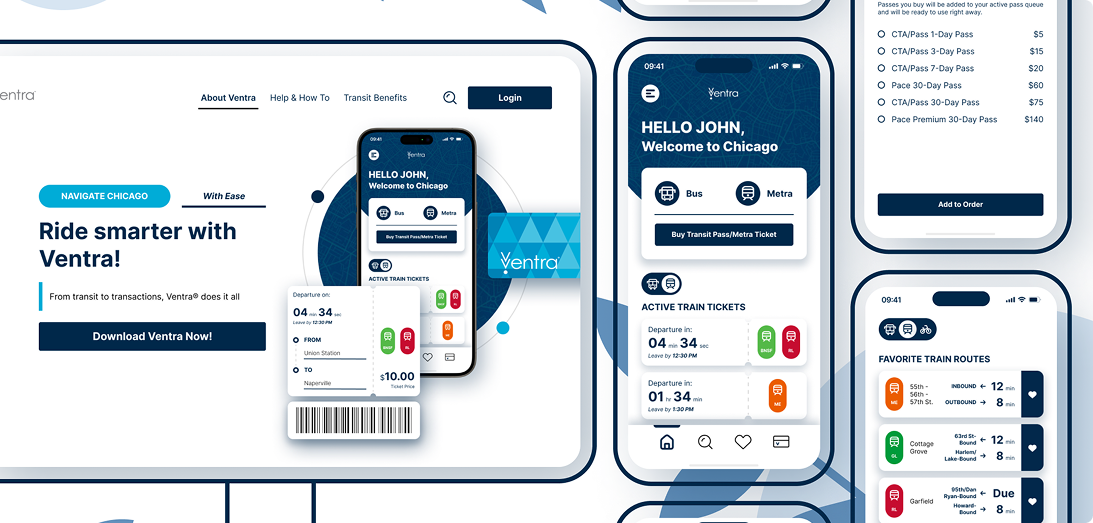
How Everything Starts
The Problem
Chicagoans have relied on Ventra to navigate the city's public transit system since its 2013 launch, and the 2020 mobile app extended that role to riders' phones. But even with a fresher interface by mid-2023, the app's inefficiency and complexity meant riders still had to work harder to buy a ticket than to actually make the trip. That problem got harder to avoid in February 2024, when the city closed its in-person ticket booths and left the app as one of the only ways left to buy a pass.
The Numbers
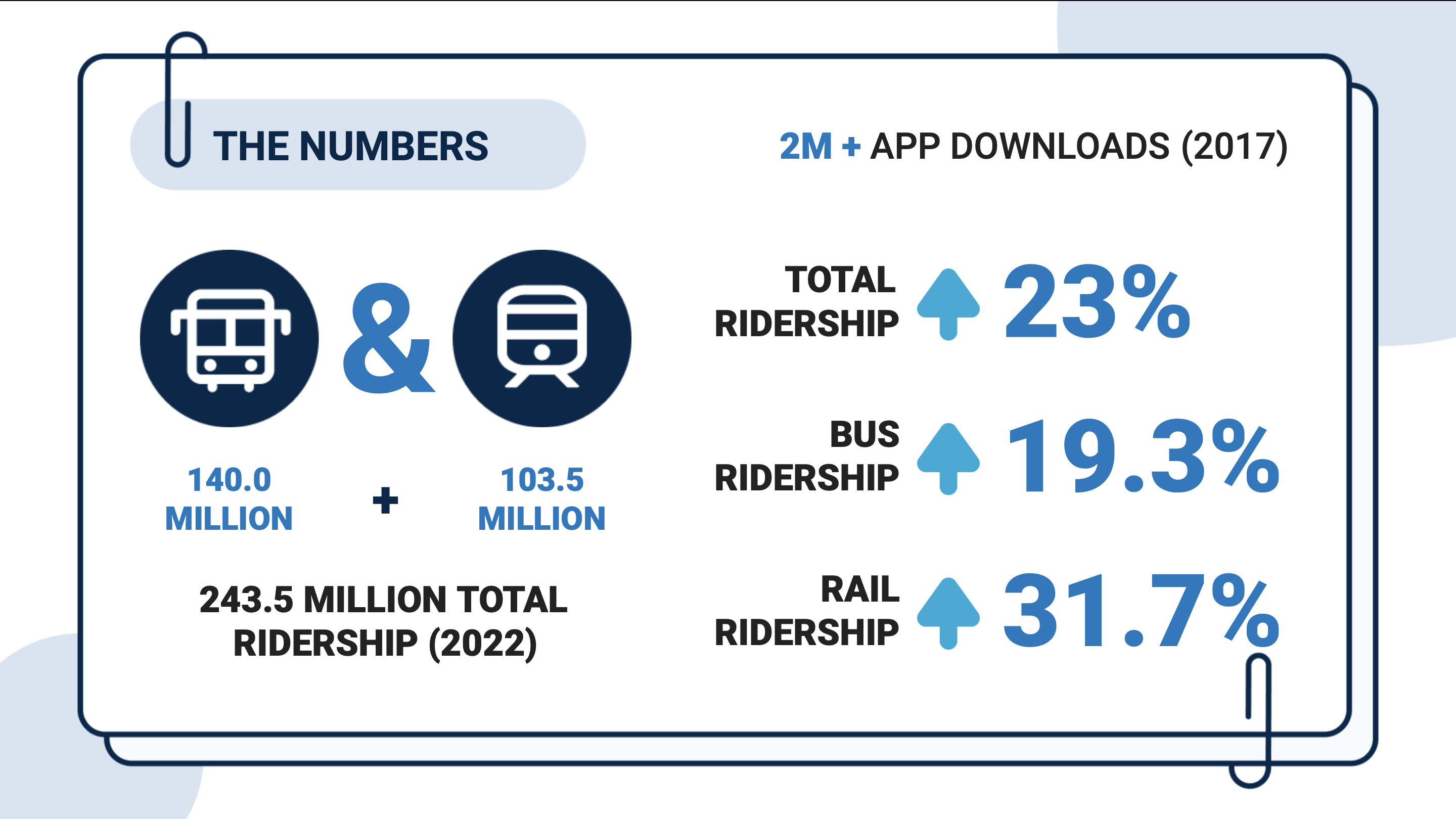
CTA and Pace ridership both grew year over year through 2022 (total ridership up 23%, bus up 19.3%, rail up 31.7%), and the Ventra app had surpassed two million downloads since 2017. Those are strong usage numbers by any measure.
However...
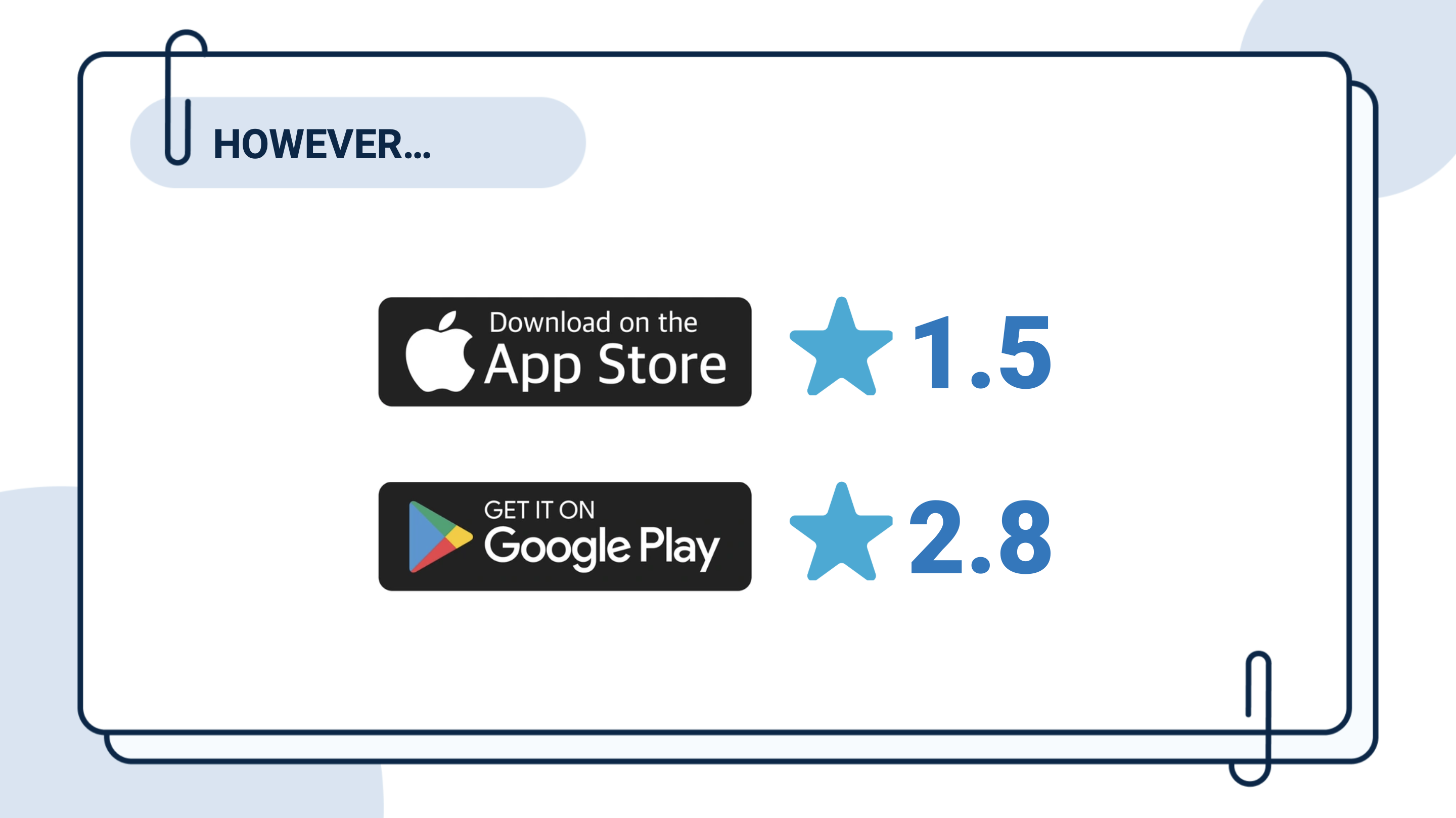
Even with a large, largely captive user base, Ventra held only a 1.5-star average on the Apple App Store and 2.8 stars on Google Play, a gap that pointed to real frustration sitting underneath strong usage numbers.
So, What Is the Problem?
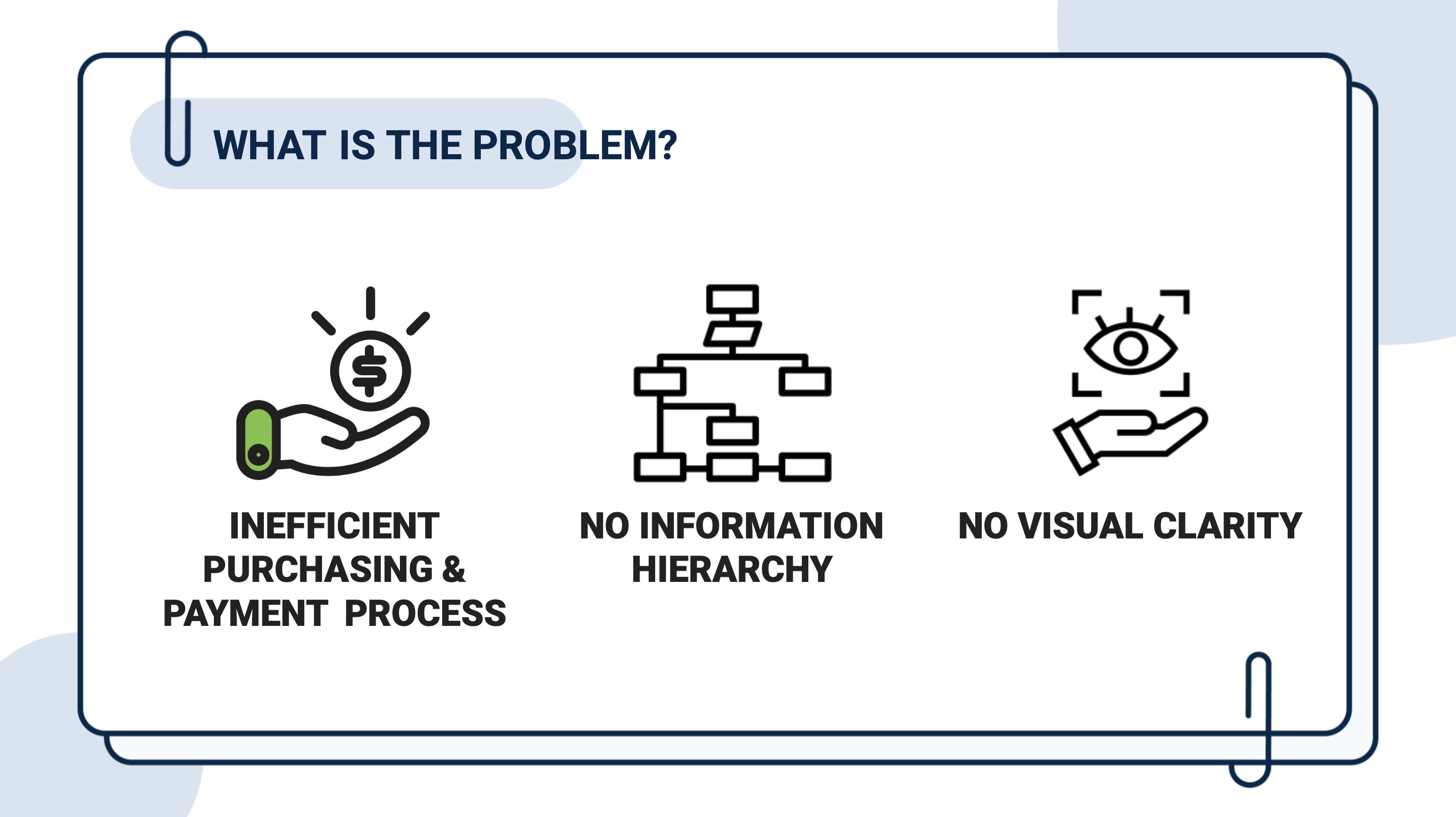
Reading through App Store and Google Play reviews surfaced three recurring UX/UI complaints: an inefficient purchasing and payment process, no clear information hierarchy, and no visual clarity in how ticket types were presented. Those three findings shaped everything that followed.
Timeline
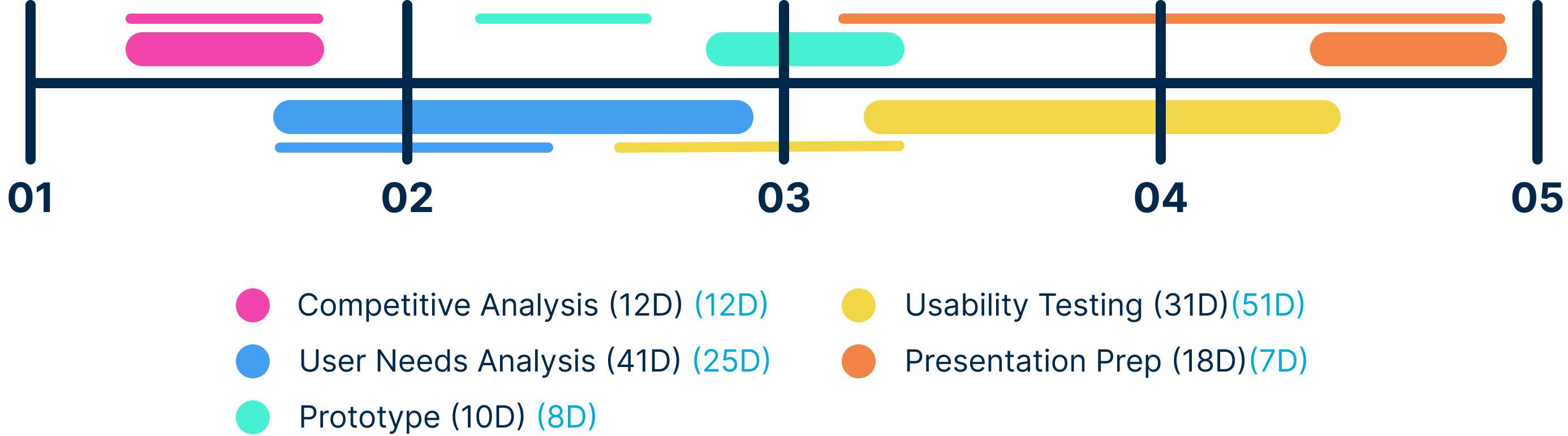
The project was originally scoped to a shorter timeframe, but ran over roughly four months in practice. Recruiting participants for interviews and usability testing took longer than planned, and the usability testing protocol itself needed a redesign partway through to be conducted properly. Both of those issues pushed the schedule out from its original plan.
Empathize
Process
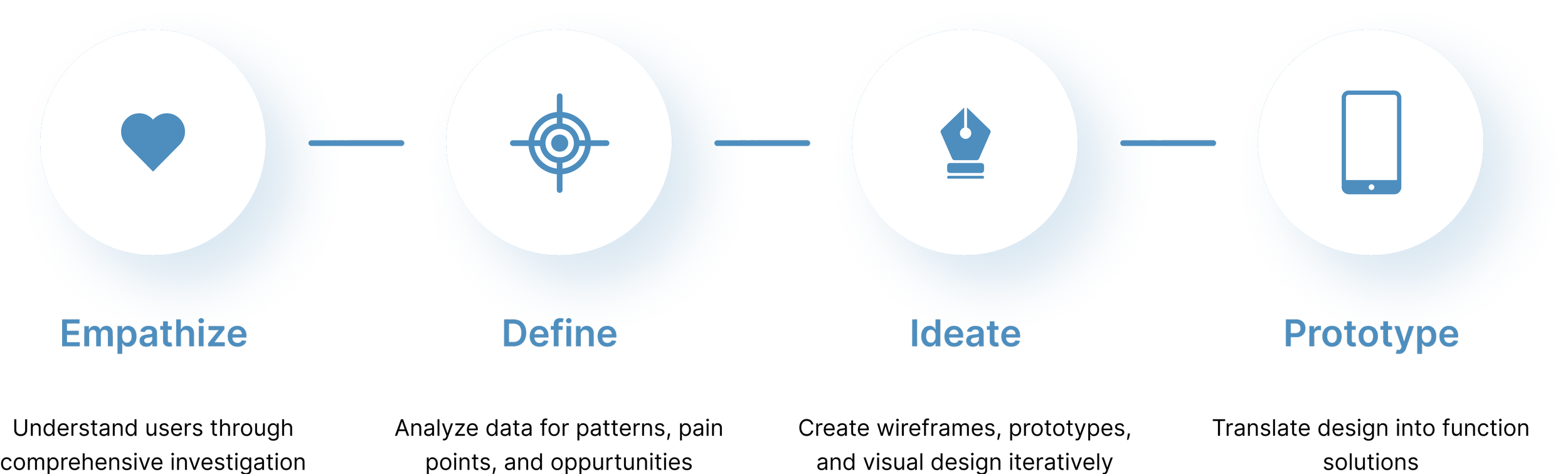
The project followed a standard four-step design process (Empathize, Define, Ideate, Prototype), moving from understanding the problem, to defining what to solve for, to generating and testing solutions.
Competitive Analysis
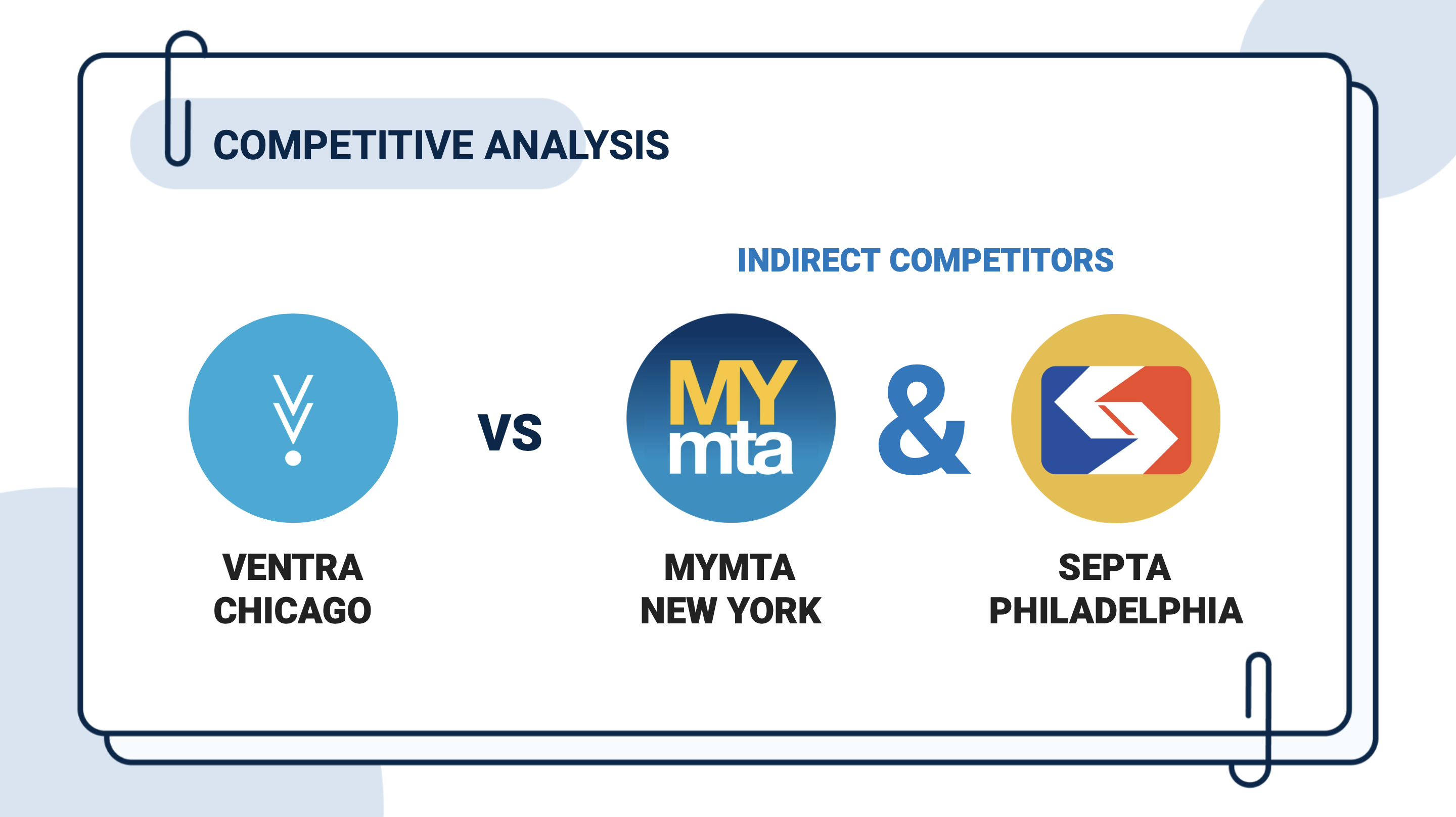
Ventra has no direct competitor: it's the only way to buy a CTA or Metra ticket in Chicago, and since Chicago closed its in-person ticket booths in February 2024, one of the only ways left at all besides the touch machines inside train stations. So instead of a direct competitor, I looked at two indirect ones: MyMTA (New York) and SEPTA (Philadelphia), the transit apps for two other major U.S. cities.
Pros & Cons
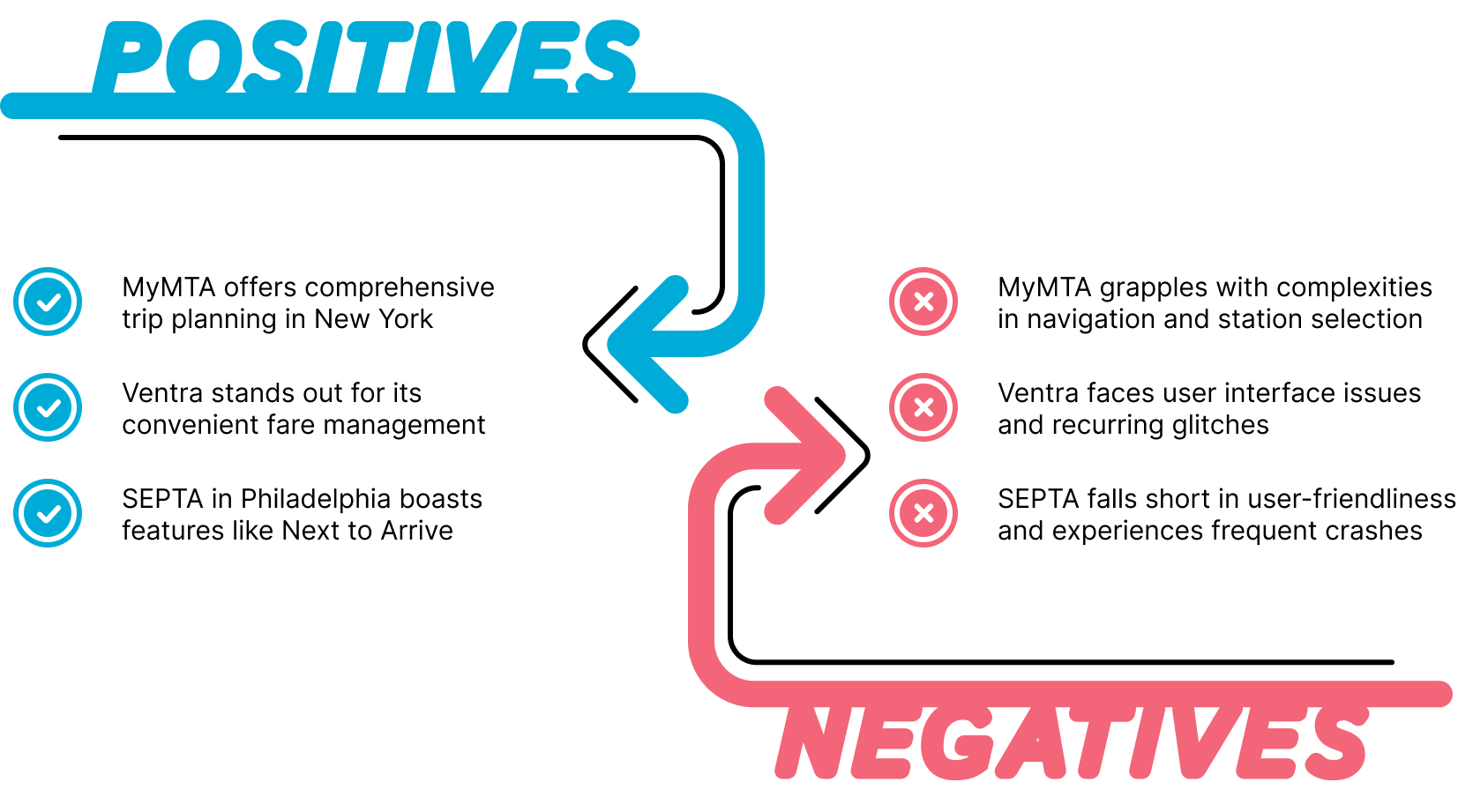
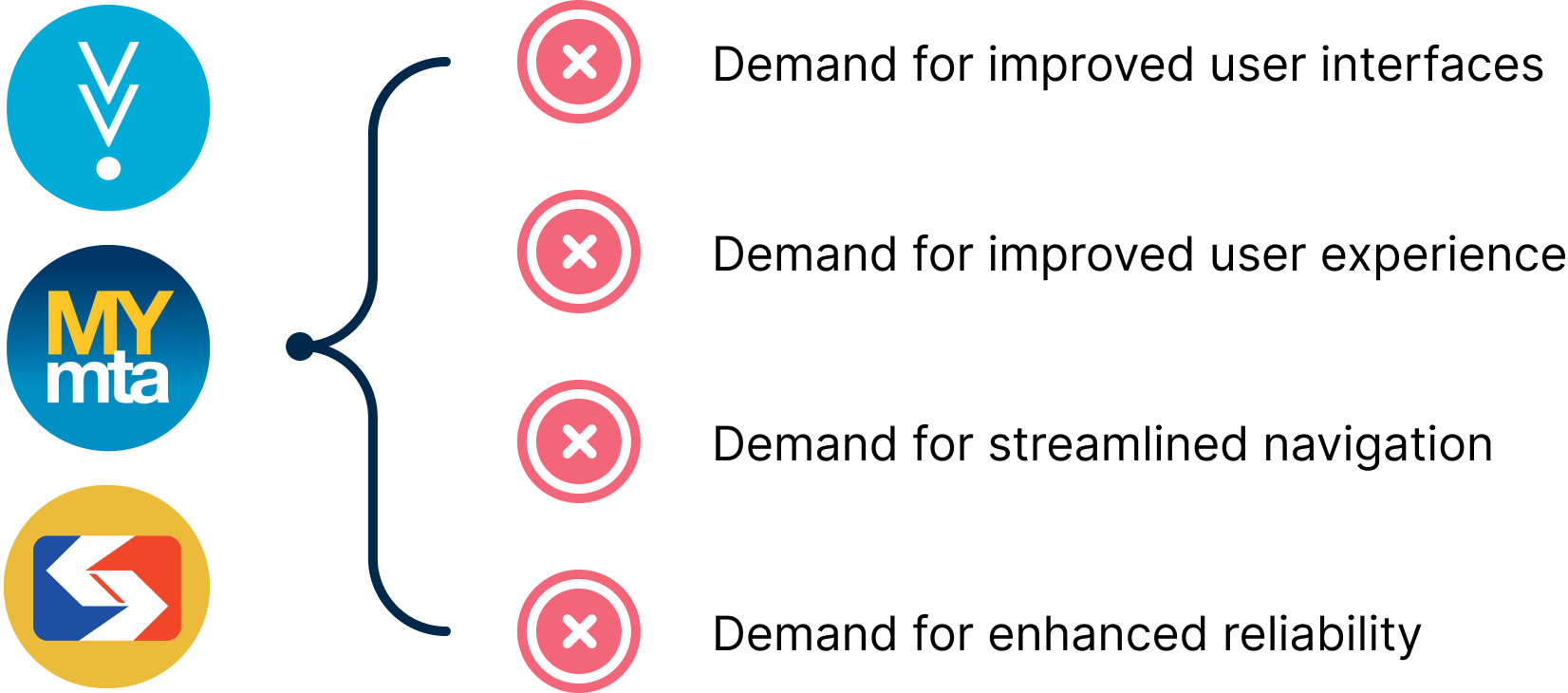
MyMTA offered comprehensive trip planning, Ventra stood out for convenient fare management, and SEPTA's "Next to Arrive" feature stood out for real-time clarity. On the other side, MyMTA struggled with navigation and station selection, Ventra had interface issues and recurring glitches, and SEPTA fell short on user-friendliness with frequent crashes.
Common Themes
Across all three apps, the same four demands kept surfacing: improved user interfaces, improved user experience, more streamlined navigation, and enhanced reliability. That shared pattern, every transit app in this category needing to feel more guided and dependable, became the north star for the redesign, not any one competitor's specific interface.
Define
Target User Base
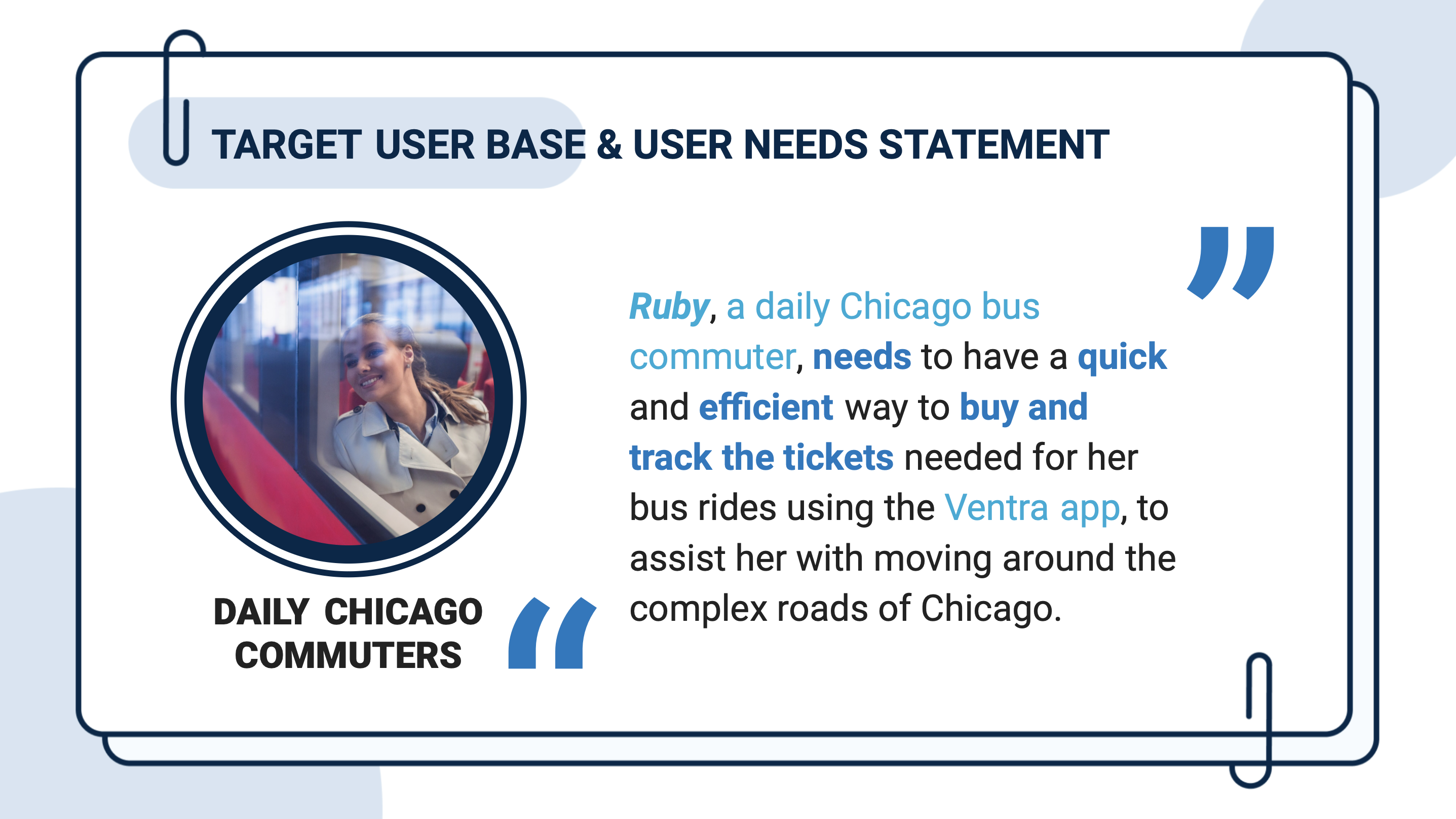
Ruby, a daily Chicago bus commuter, needs a quick and efficient way to buy and track the tickets required for her bus rides using the Ventra app, to help her get around Chicago's complex roads with less friction.
Goals & Objectives
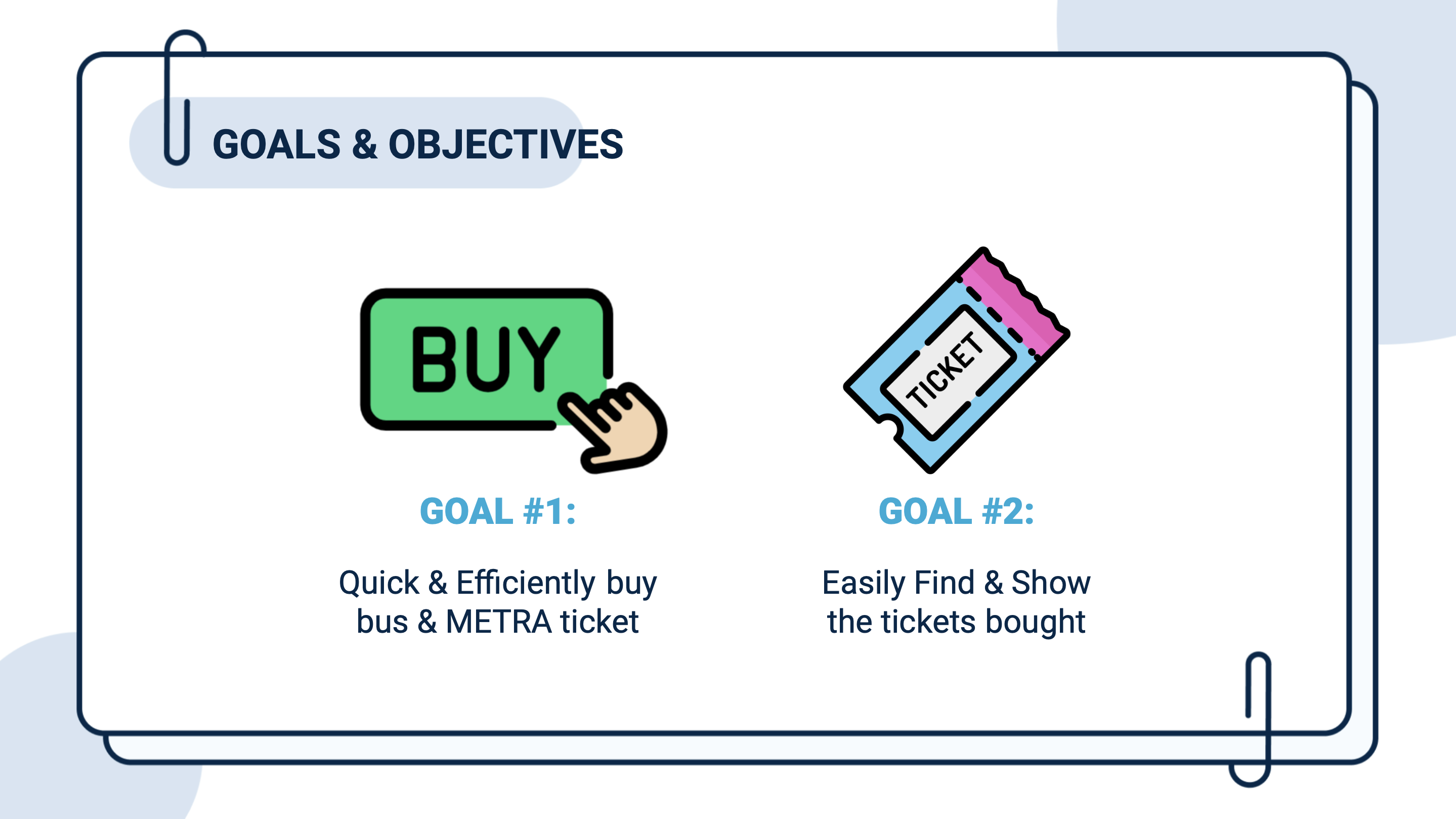
With the research gathered, the project narrowed to two concrete objectives: let riders quickly and efficiently buy a bus or Metra ticket, and let them easily find and show the tickets they've already bought. Every subsequent design decision was measured against one or both of those goals.
The User: Isabella
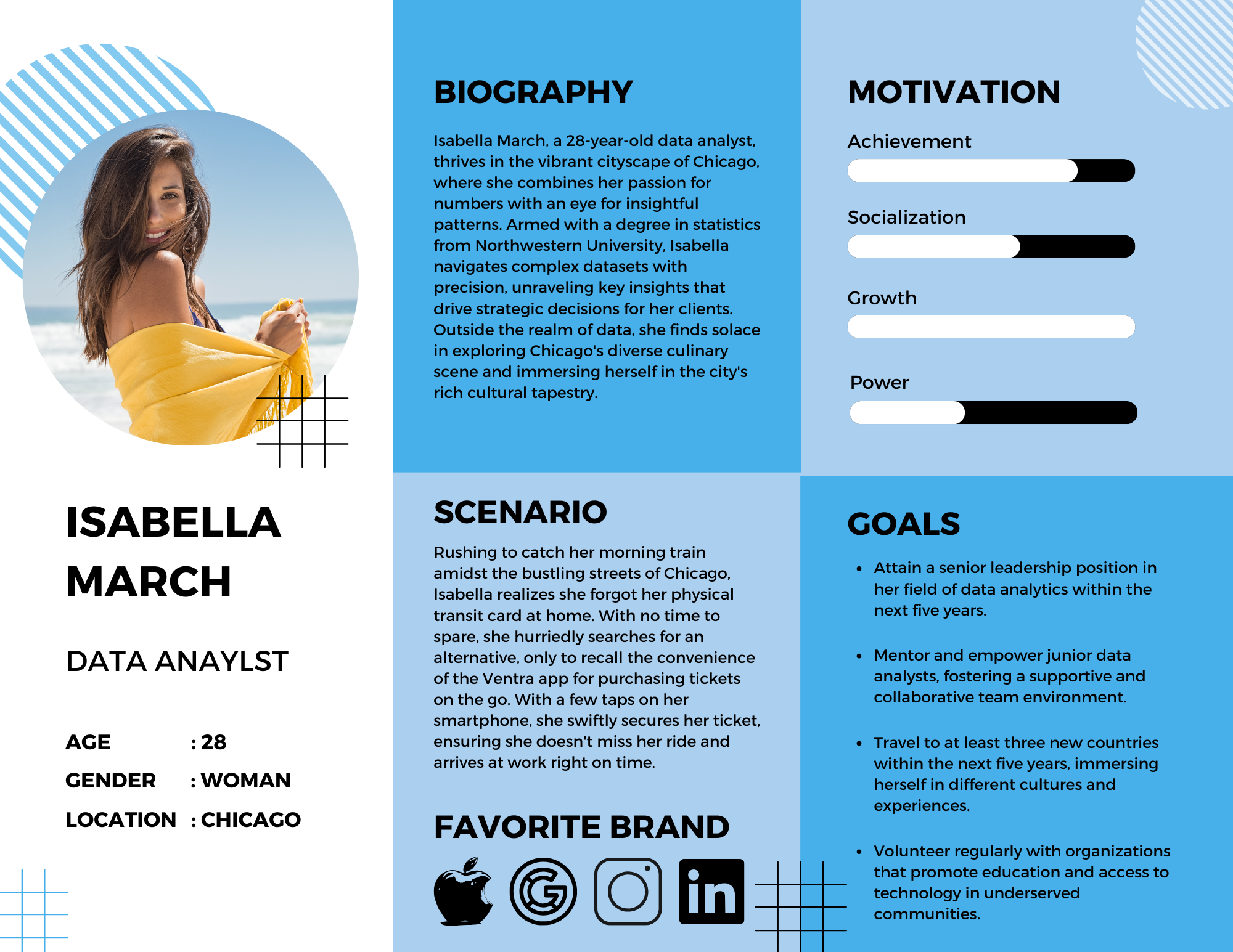
Isabella March, a 28-year-old data analyst commuting around Chicago, became the primary persona. Her scenario: rushing to catch her morning train, she realizes she's forgotten her physical transit card at home. With no time to spare, she needs the Ventra app to let her buy a ticket on the go, quickly enough to still make her train.
Task Flow
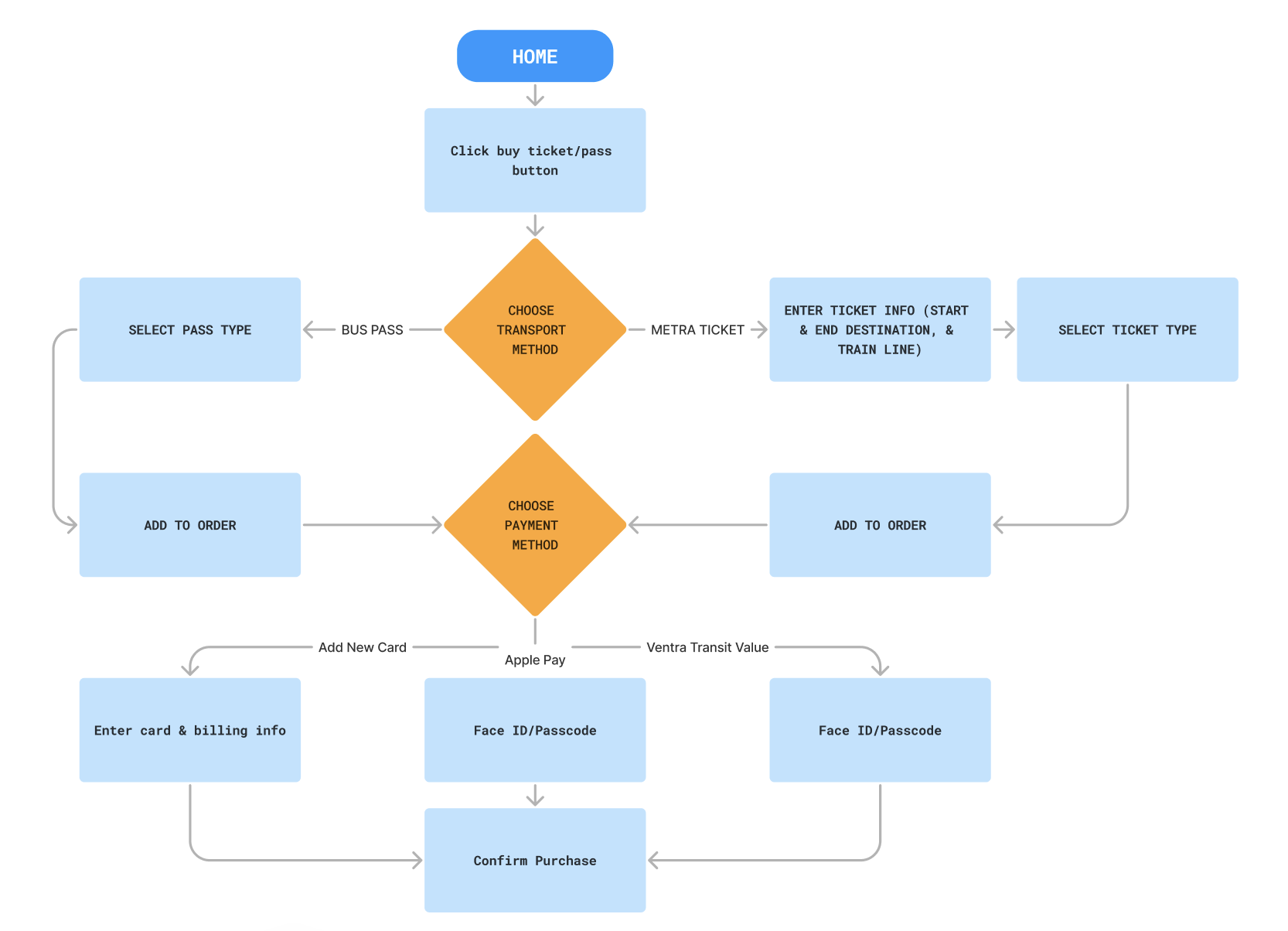
The task flow mapped exactly what a rider like Isabella would need to do end to end: from the home screen, choose a transport method (bus or Metra), select a pass type or enter ticket details, choose a payment method, and land on a confirmation screen. Documenting that flow before wireframing made it possible to spot unnecessary steps early, rather than discovering them once screens were already designed.
Wireframes
Early wireframes translated the task flow into a step-by-step purchase wizard, one screen and one decision at a time, rather than the denser, everything-at-once layout of the original app. This is also where the "Step-Wise Purchase & Payment" pattern used in the final prototype and usability testing first took shape.
(Low-fidelity wireframes)
Prototype & Results
High-Fidelity Prototype
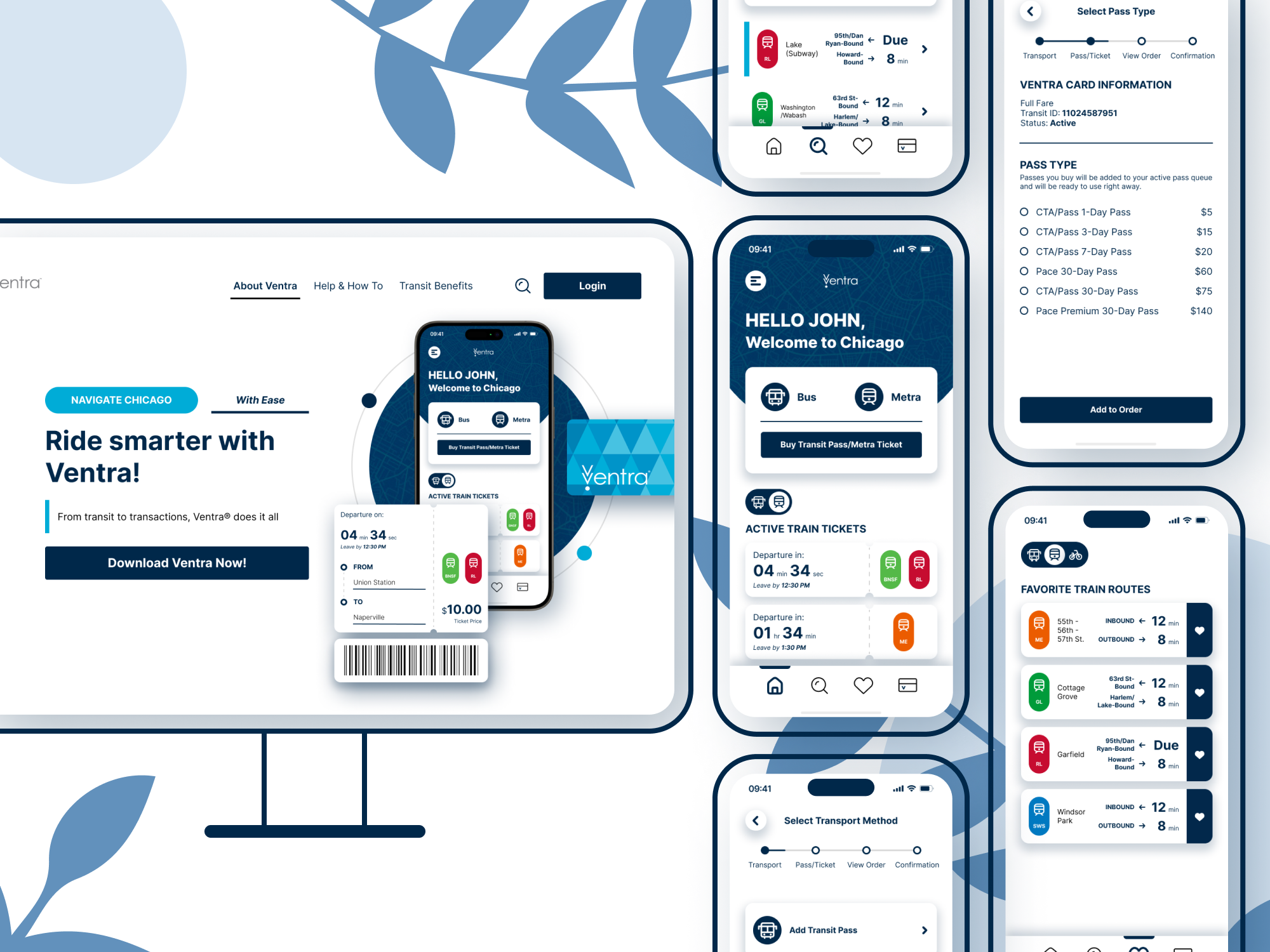
The final prototype replaces the old multi-screen flow with a single step-by-step purchase wizard, built in Figma and tested against the live app. Riders start from the same button whether they're buying a bus pass or a Metra ticket, so they only have to learn one flow instead of two.
Prototype Walkthrough
A full walkthrough of the high-fidelity prototype, recorded end to end, from opening the app through completing a ticket purchase.
Usability Testing
Protocol
I ran two separate usability tests, one on the original Ventra app and one on the redesigned prototype, with four participants total, two per test, to see whether the redesign actually improved the efficiency and usability of buying a ticket. Both tests used the same scenario and task flow: participants were told they needed a bus pass to get from their hotel to the train station, and then a Metra ticket to get home, and were asked to complete both purchases using the "Step-Wise Purchase & Payment" flow.
Metrics & Tools
Each session measured Time on Task, Task Completion (binary), and User Satisfaction (qualitative responses plus a Likert scale). Quantitative results were tracked in Google Sheets to identify trends, while qualitative responses were analyzed inductively for common themes across participants. Sessions were recorded with Voice Memo, a camera, and a stopwatch, and findings were written up in Google Docs.
(Usability testing data & satisfaction results)
Usability Testing Results
Across both rounds of testing, the redesigned flow cut the time to buy a one-day CTA/Pace pass from roughly 187 seconds to 25, about 87% faster, and cut Metra ticket purchases from roughly 64 seconds to 31, about 51% faster.
General Findings
The 87% improvement on the CTA/Pace pass came with a caveat worth noting: the original app requires an additional activation step, adding the pass to an Apple or Google Wallet, that wasn't built into the prototype for testing, so some of that gap reflects a step the prototype simply didn't include yet. Still, letting riders start from the same button for both a bus pass and a Metra ticket, using one wizard instead of two separate flows, meant they didn't have to relearn a new process for a similar task, which was itself a meaningful usability gain.
The 51% improvement on Metra tickets likely reflects two things: all four participants already bought Metra tickets through Ventra regularly, and the prototype let them choose their start and end stations before selecting a train line, removing the guesswork the original flow required. That said, four participants across two tests is a small sample. More participants and more data would even out the averages and reduce the bias and error naturally present in a study this size.
 Private